
Chain & Sprockets
Calculate, draw and export a roller chain with sprockets.
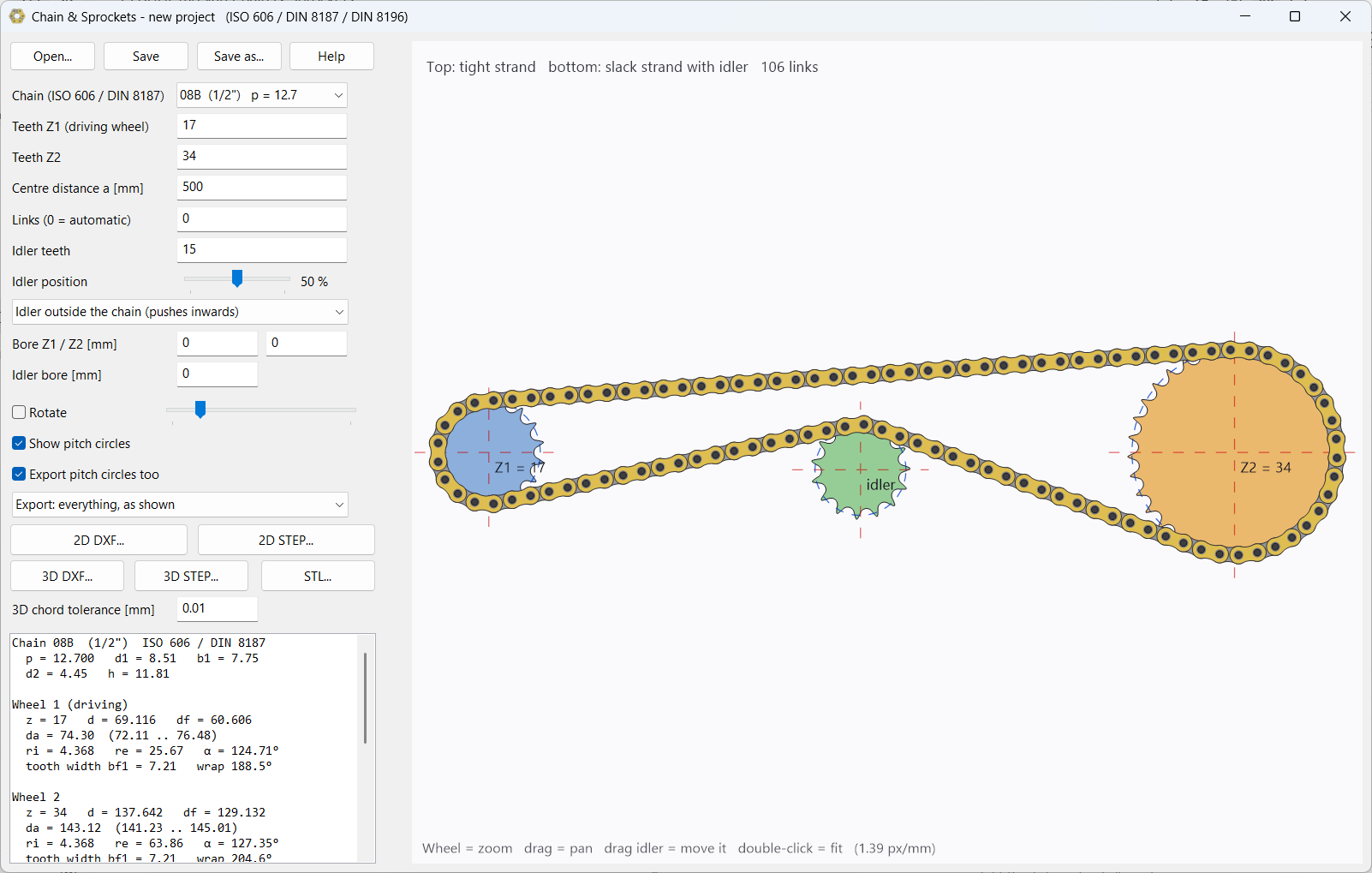
Choose a chain size, the numbers of teeth Z1 and Z2 and the centre distance, and Chain & Sprockets lays the chain around the wheels link by link. On the slack strand an idler takes up the slack; you drag that idler with the mouse.
The sprocket tooth form and the chain dimensions follow the standards. Export the result as a 2D drawing or as a 3D model with every wheel, plate, bush, roller and pin as its own solid.
What does it do?
- Standards: ISO 606 / DIN 8187 (roller chain, series B, from 05B to 32B, with the pitch in inches) and DIN 8196 (sprocket tooth form)
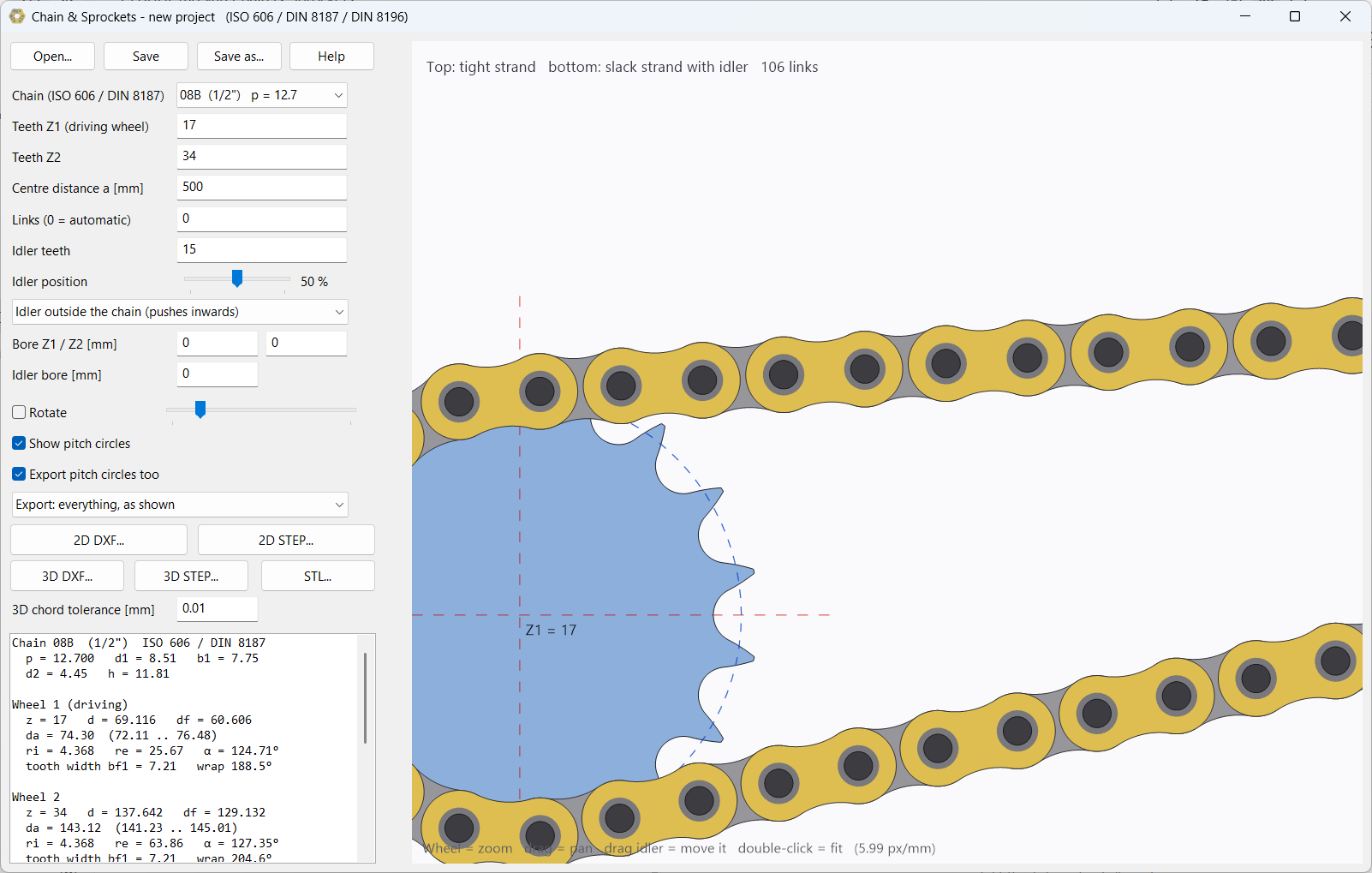
- Chain laid exactly: every roller in a tooth gap, every link exactly one pitch long
- Tight and slack strand, idler inside or outside the chain, movable with the mouse
- Number of links automatic or your own choice, with wrap angles and warnings
- Rotating animation that also shows the polygon effect
- 2D export: DXF and STEP, every outline one closed curve on its own layer
- 3D export: STEP solids, STL and DXF; tested with Rhinoceros 2.0, FreeCAD 1.1 and Flashforge Flash Studio Desktop
- Save and open projects (.chs)
Screenshots
Download
Installation
The language you choose during installation is also the language of the program.
Windows
- Download the setup and run it.
- Does Windows say "Unknown publisher"? Click More info and then Run anyway.
- Choose the language and follow the steps. To remove it later: Windows Settings > Apps.
Linux
- Download the package and extract it (right-click > Extract here).
- Open a terminal in the extracted folder and type
bash install.sh. - The program appears in the menu. To remove:
bash ~/.local/opt/TheiSoft/chain-sprockets/uninstall.sh